
Mobile apps vs websites is not a question with one universal answer.
For some businesses, a responsive website is the right foundation: easier to access, easier to maintain, and better suited for discovery through search. For others, a mobile app becomes important because the product depends on repeat usage, notifications, offline access, device features, or a more personal user experience.
The mistake is assuming that every business needs an app - or that a website is always enough.
The right decision depends on what you are building, how often users will return, what features they need, and how the software will support the business over time.
Mobile apps vs websites: the real difference
A website is usually accessed through a browser. It is easier to share, easier to find through search engines, and usually faster to launch than a mobile app.
A mobile app is installed on a user’s device. It can offer deeper interaction, better access to device features, push notifications, offline functionality, and a more integrated experience for users who return often.
Both can be valuable. The important question is not which one is “better” in general. The better question is:
What does your product need users to do?
If users only need information, occasional interaction, or a way to contact your business, a website may be enough. If users need to interact with the product regularly, receive timely updates, use location, upload data, work offline, or complete complex actions on the go, a mobile app may be the stronger option.
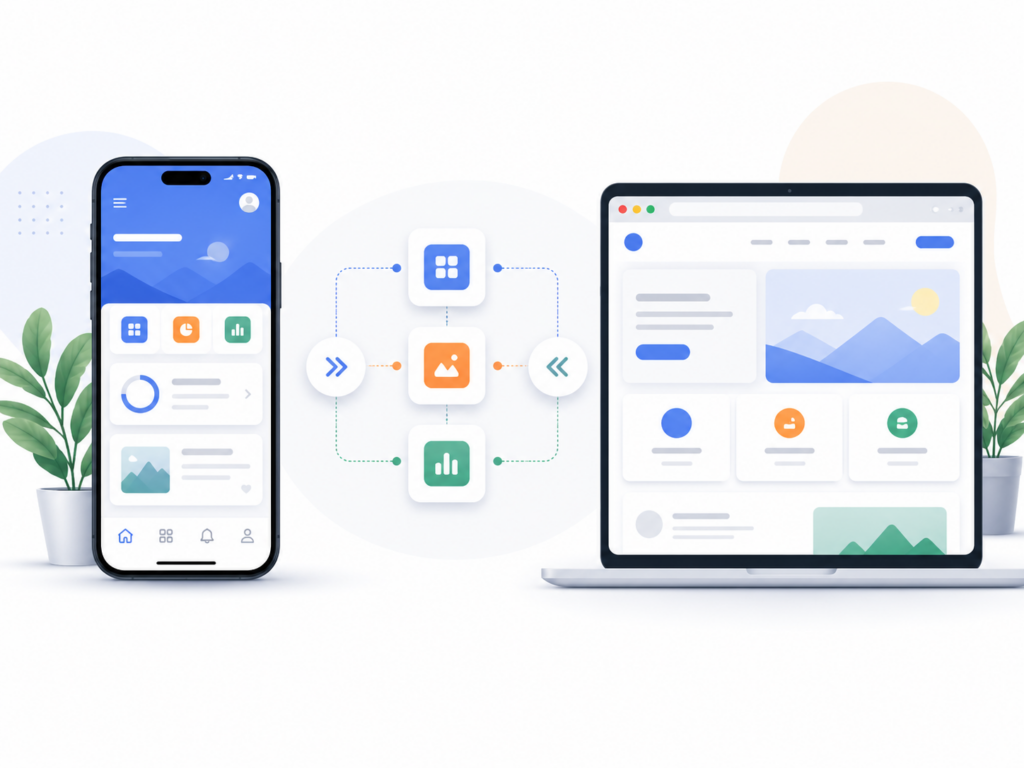
When a website is the better choice
For many businesses, a modern website should come before a mobile app.
A website is usually the best starting point when the goal is visibility, credibility, lead generation, education, or lightweight interaction.
This is especially true when users are likely to discover the business through Google, referrals, social links, paid ads, or direct recommendations. A website does not require installation, account creation, app store approval, or device-specific distribution. A user can open it immediately.
A website is usually enough when users need information
If your users mainly need to learn about your company, read content, compare services, book a consultation, submit a form, or understand your offer, a website is the natural choice.
Examples include:
- company websites
- service pages
- landing pages
- blogs and resource centers
- case study pages
- documentation portals
- lead generation forms
In these cases, forcing users to download an app would create friction rather than value.
A website is easier to discover through search
Websites are also important because search engines can crawl and rank their content.
Google uses the mobile version of a site’s content for indexing and ranking, which makes mobile-friendly web design essential for search visibility. You can read Google’s own guidance on mobile-first indexing.
This is one reason a strong website is usually the foundation of a digital product or business presence, even if a mobile app is added later.
A website is simpler to maintain
A website can usually be updated faster than a mobile app. Content, design, and functionality can be changed without requiring users to install a new version from the App Store or Google Play.
That matters when a product is still evolving, when messaging changes often, or when the business is testing demand.
For early-stage products, a website can be a practical way to validate the idea before investing in full native mobile development.
When a mobile app makes more sense
A mobile app becomes more valuable when the product depends on frequent use, real-time interaction, personalization, or device-level capabilities.
An app should not exist just because “everyone has a phone.” It should exist because the user experience genuinely benefits from being installed on the device.
Mobile apps work well for repeat engagement
If users are expected to return often, an app can make that relationship easier.
Apps are useful when users need to:
- track activity over time
- receive timely notifications
- manage personal preferences
- interact with a service regularly
- complete actions quickly from their phone
- use the product as part of a daily or weekly workflow
This is why mobile apps are common for products such as marketplaces, transport, finance, fitness, communication, productivity, event discovery, and field operations.
Mobile apps can use device features more deeply
Mobile apps can access device capabilities in ways that are often stronger, smoother, or more reliable than browser-based experiences.
This can include:
- camera
- GPS and location services
- push notifications
- biometric authentication
- local storage
- background processing
- Bluetooth or hardware communication
- offline workflows
If those features are central to the product, a mobile app may be the right technical direction.
Mobile apps can support offline or low-connectivity workflows
Some products need to work even when the internet connection is weak, unreliable, or unavailable.
This is common in field work, logistics, warehouses, industrial environments, construction sites, events, travel, healthcare, and operational systems.
A well-built app can store data locally, let users continue working, and sync changes later when a connection becomes available.
That kind of workflow is often difficult to support properly with a simple website.
Native apps, web apps, and PWAs
The decision is not always just “website or app.” There are several technical options between them.
Native mobile apps
Native apps are built specifically for platforms such as iOS and Android.
They usually offer the strongest performance, best access to device features, and most polished user experience. They are often the right choice when the mobile experience is central to the product.
The tradeoff is that native development usually requires more planning, more testing, and more release management. You need to consider App Store and Google Play review processes, device compatibility, operating system updates, and long-term maintenance.
Apple publishes its App Store Review Guidelines, while Android provides core app quality guidelines that help define baseline quality expectations for Android apps.
Responsive websites
A responsive website adapts to different screen sizes and devices. It is usually the most practical foundation for public-facing pages, marketing sites, blogs, documentation, service pages, and lead generation.
For many businesses, this is the right first step.
A good responsive website should not feel like a desktop site squeezed onto a phone. It should be designed for mobile users from the beginning, with clear navigation, readable content, fast load times, and simple actions.
Progressive Web Apps
A Progressive Web App, or PWA, sits between a website and a native app.
PWAs are built with web technologies but can provide some app-like capabilities, such as installation, offline support, and more integrated user experiences. web.dev has a useful overview of Progressive Web Apps.
A PWA can be a good option when you want a more capable web experience without immediately building separate native iOS and Android apps.
However, PWAs are not always a complete replacement for native apps. The right choice depends on required features, performance expectations, device access, distribution needs, and user behavior.
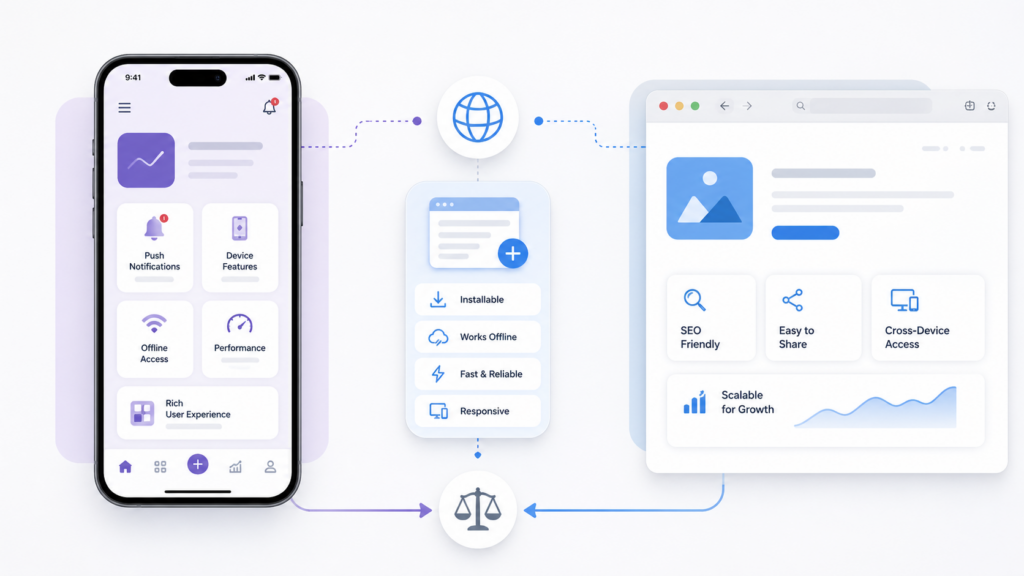
Mobile apps vs websites: quick comparison
| Question | Website | Mobile App |
|---|---|---|
| Best for discovery through Google? | Usually stronger | Usually weaker |
| Easy to access instantly? | Yes | Requires installation |
| Best for frequent repeat use? | Sometimes | Often stronger |
| Push notifications? | Limited / depends on setup | Strong |
| Offline workflows? | Limited unless built as PWA | Strong when designed properly |
| Device features? | Some access | Usually deeper access |
| App Store / Play Store presence? | No | Yes |
| Maintenance complexity? | Usually lower | Usually higher |
| Best for marketing and content? | Usually stronger | Usually not the main role |
Questions to ask before building a mobile app
Before investing in mobile app development, it helps to ask practical questions.
Will users return often enough?
If users only need to interact with your business once or twice, an app may be unnecessary.
If users will return weekly, daily, or several times per month, a mobile app becomes more interesting.
Does the product need device features?
If the product depends on location, camera, notifications, offline storage, payments, maps, scanning, Bluetooth, or real-time device interaction, an app may be justified.
If the product mainly presents information, collects a form, or supports occasional browsing, a website may be enough.
Do you have a reason to be on the user’s home screen?
A mobile app competes for space on a user’s phone.
That space should be earned. The app needs to provide enough ongoing value that users want to install it and keep it.
Can you maintain the app properly?
Building the first version is only one part of mobile app development.
You also need to support:
- iOS and Android updates
- bug fixes
- device compatibility
- store review processes
- analytics and crash monitoring
- backend changes
- security updates
- regular releases
If the business is not ready for ongoing maintenance, launching an app too early can create more problems than value.
When to start with a website and add an app later
For many businesses, the best path is not choosing one forever.
A common and sensible approach is:
- start with a strong website or web platform
- validate the product and user behavior
- learn what users actually do repeatedly
- identify which workflows would be better on mobile
- then build an app when the use case is clear
This reduces risk. It also helps avoid building an app for assumptions that later prove wrong.
A website can be the discovery and conversion layer, while the app becomes the deeper product layer for users who need ongoing functionality.
When to build both
Some products need both a website and a mobile app from the beginning.
This is common when the product has:
- a public-facing marketing site
- a web dashboard or admin panel
- a mobile app for end users
- a backend system connecting everything together
- payments, notifications, user accounts, or integrations
In these cases, the website and app should not be treated as separate projects. They are parts of one software system.
The backend, data model, authentication, APIs, infrastructure, and release process need to be planned together.
This is where custom software development becomes more than just “building an app.” The real work is designing the full system so that web, mobile, backend, infrastructure, and integrations can evolve without creating technical debt too early.
Real example: mobile app takeover and stabilization
Mobile app development is not always about building a new app from scratch.
Sometimes the harder work is taking over an existing product, stabilizing it, improving the backend, cleaning up data structures, and creating a healthier release process.
For example, mile.dev took over development of gowithYamo, a UK art discovery platform with native iOS and Android apps. The work included app improvements, backend refactoring, infrastructure migration, testing workflows, release management, and ongoing product development.
This type of work is often more complex than a clean new build because the product is already live. Improvements need to happen while users, content, releases, and business priorities continue moving.
So, should your business build a mobile app or a website?
Start with the user behavior.
A website is usually the better choice when you need reach, search visibility, credibility, content, lead generation, or lightweight interaction.
A mobile app is usually the better choice when users need frequent access, notifications, offline workflows, device features, location, personalization, or a more integrated product experience.
A PWA can be useful when you need something between the two.
And in many serious products, the answer is eventually both - but not always at the same time.
The right decision is technical and strategic
The choice between mobile apps and websites should not be made because of trends.
It should be made based on the product, the users, the business model, and the technical requirements.
A mobile app can create a stronger user experience when it solves a real problem. A website can be more effective when access, discovery, and simplicity matter more. The wrong choice can waste time and budget, so it helps to understand how much it costs to build an MVP before you commit. The right choice can create a clearer path from idea to useful software.
If you are deciding whether your product needs a website, mobile app, backend platform, or a combination of all three, you can start with a free consultation. We will review the scope and help you think through the technical direction before development begins.